Salesforce vs Odoo for field service. One of them also runs your business.
A feature-by-feature comparison of Salesforce Field Service and Odoo 19 Field Service, with working screens from a live Odoo build. Written for manufacturers who service their own equipment on site.
Salesforce wins on scheduling scale. Odoo wins on everything downstream of the visit.
Salesforce Field Service is a mature, deep product built for large dispatch operations: hundreds of technicians, complex skills matching, automated route optimization and a genuinely offline mobile app. If that is your problem, it is very good at it.
Odoo Field Service is one app inside a full ERP. It handles the visit well, but its real advantage is what happens either side of the visit: the part comes off a real inventory, the labor becomes a real invoice, and the serial number on the device traces back to the production order that built it - all in one database, with no integration between systems.
Pick Salesforce when
You dispatch at scale, need automated schedule optimization across large crews and territories, and your technicians work where there is no signal. You already run Service Cloud and have an ERP elsewhere.
Pick Odoo when
You make what you service. You want quoting, inventory, invoicing and accounting in the same system as the work order, and you would rather spend the license difference on the build.
The honest middle
Plenty of service teams need neither optimization engines nor offline sync. For them the deciding factor is cost, speed to go live, and whether service data has to be re-keyed into a separate ERP.
Capability by capability
Assessed against the standard Field Service product from each vendor. Where a Salesforce capability is a paid add-on rather than part of the base license, it is called out in the text.
| Capability | Salesforce Field Service | Odoo 19 Field Service | Advantage |
|---|---|---|---|
| Platform and work model | |||
| Platform foundation | Managed package on top of Service Cloud. Field Service licenses sit on top of Service Cloud licenses. | One app inside a full ERP, sharing a database with Sales, Inventory, Manufacturing, Purchasing and Accounting. | Odoo |
| Work order model | Work Order, Work Order Line Items and Service Appointments: a deeper hierarchy for jobs spanning multiple visits and dependencies. | One task per visit carrying products, timesheets and a worksheet. Sub-tasks available, but a flatter model. | Salesforce |
| Service contracts, SLA and entitlements | Entitlements, Service Contracts and Milestones with SLA tracking built for service organizations. | SLA policies live in Helpdesk and contracts in Subscriptions. Lighter and less joined-up for field work. | Salesforce |
| Scheduling and dispatch | |||
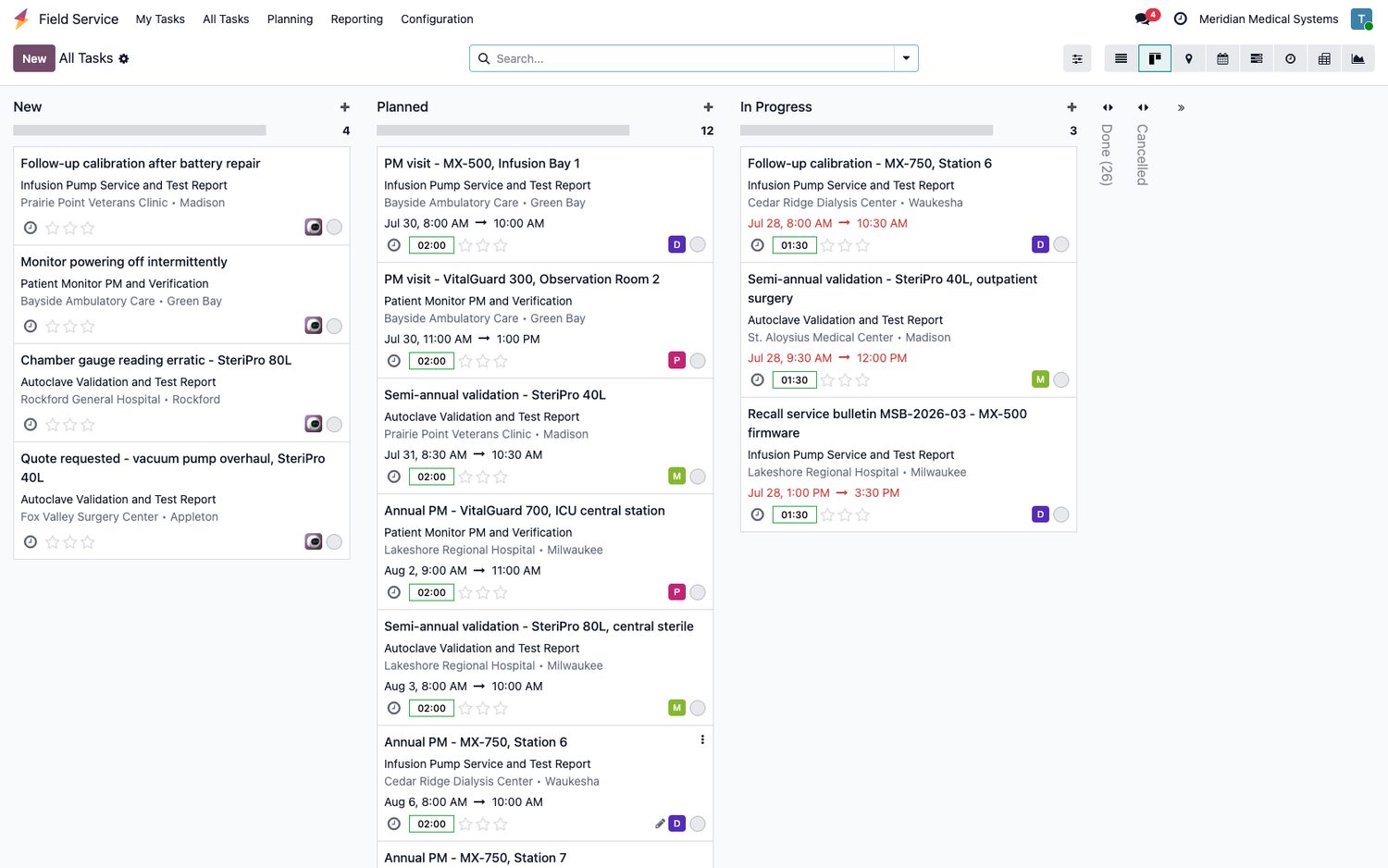
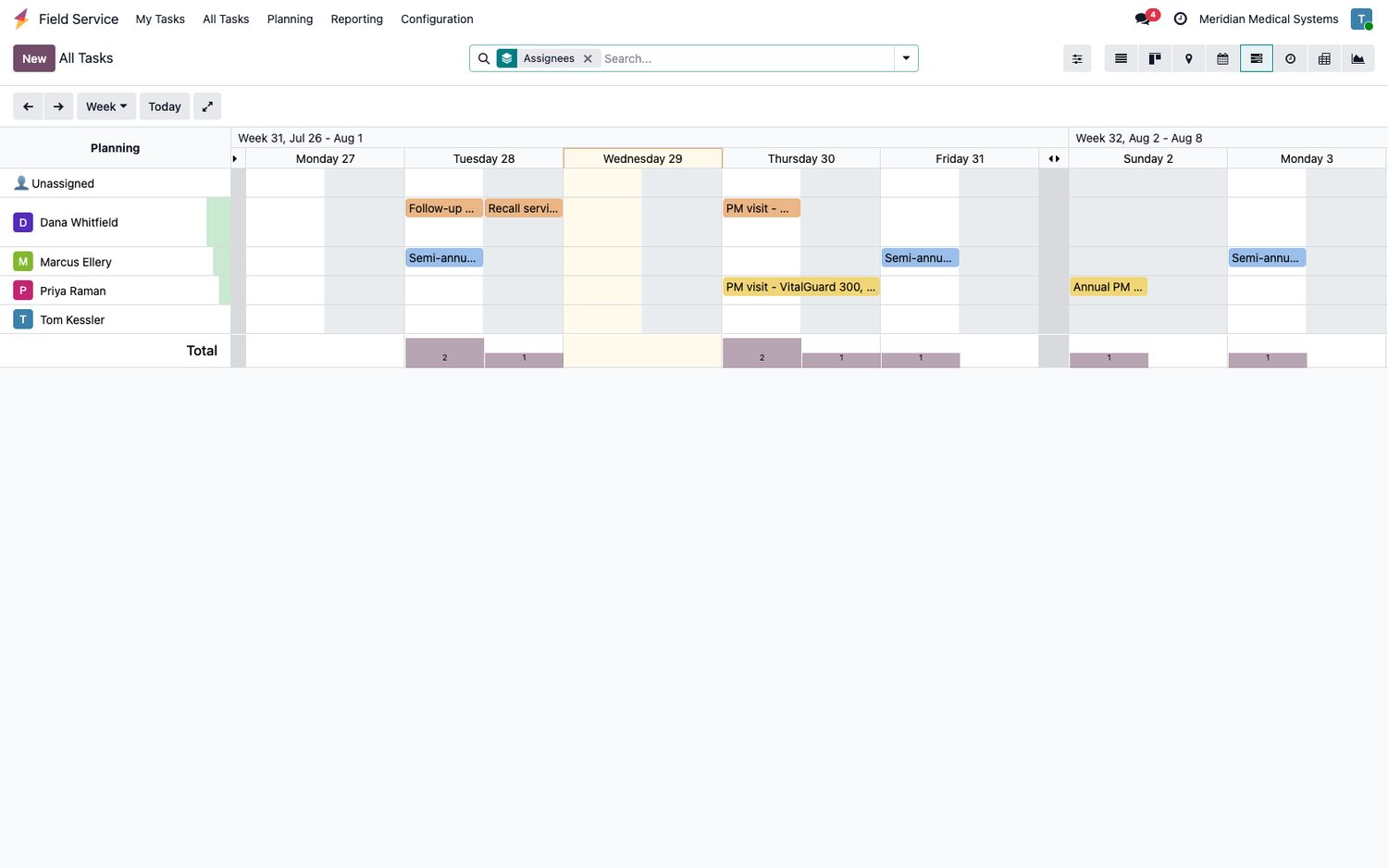
| Dispatch board | Dispatcher Console with Gantt, drag-and-drop, scheduling policies, work rules and service objectives. | Gantt planning by technician, plus calendar, kanban and list. Drag-and-drop, with workload per person. | Salesforce |
| Automated schedule optimization | Enhanced Scheduling and Optimization: global and in-day optimization, appointment bundling, resource optimization. | No optimization engine. Planning is manual, assisted by the map and the workload view. | Salesforce |
| Skills, territories and crews | Skills with levels, service territories with operating hours, crews and resource preferences drive automatic matching. | Assignment by person or team. No formal skill matching or territory engine. | Salesforce |
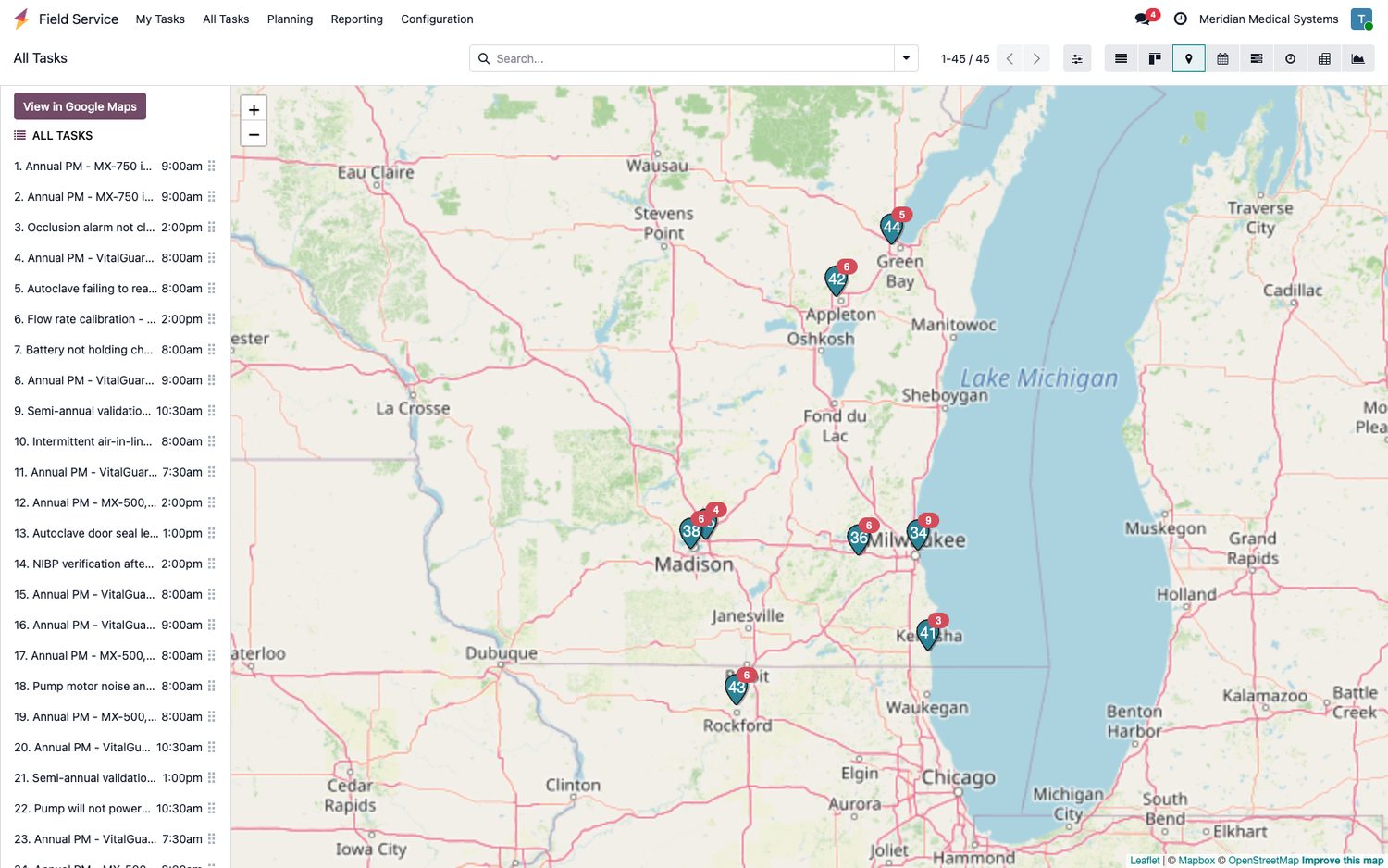
| Map and routing | Map inside the dispatcher console with routes and travel time built into scheduling. | Map view with pins, per-day itinerary and a hand-off to Google Maps. On-map routing needs a free MapBox token. | Close |
| In the field | |||
| Technician mobile app | Purpose-built offline-first app for iOS and Android. Full offline create and edit, barcode scanning, guided Mobile Flows. | Responsive web app and a mobile wrapper. Works well on a tablet, but assumes a connection. | Salesforce |
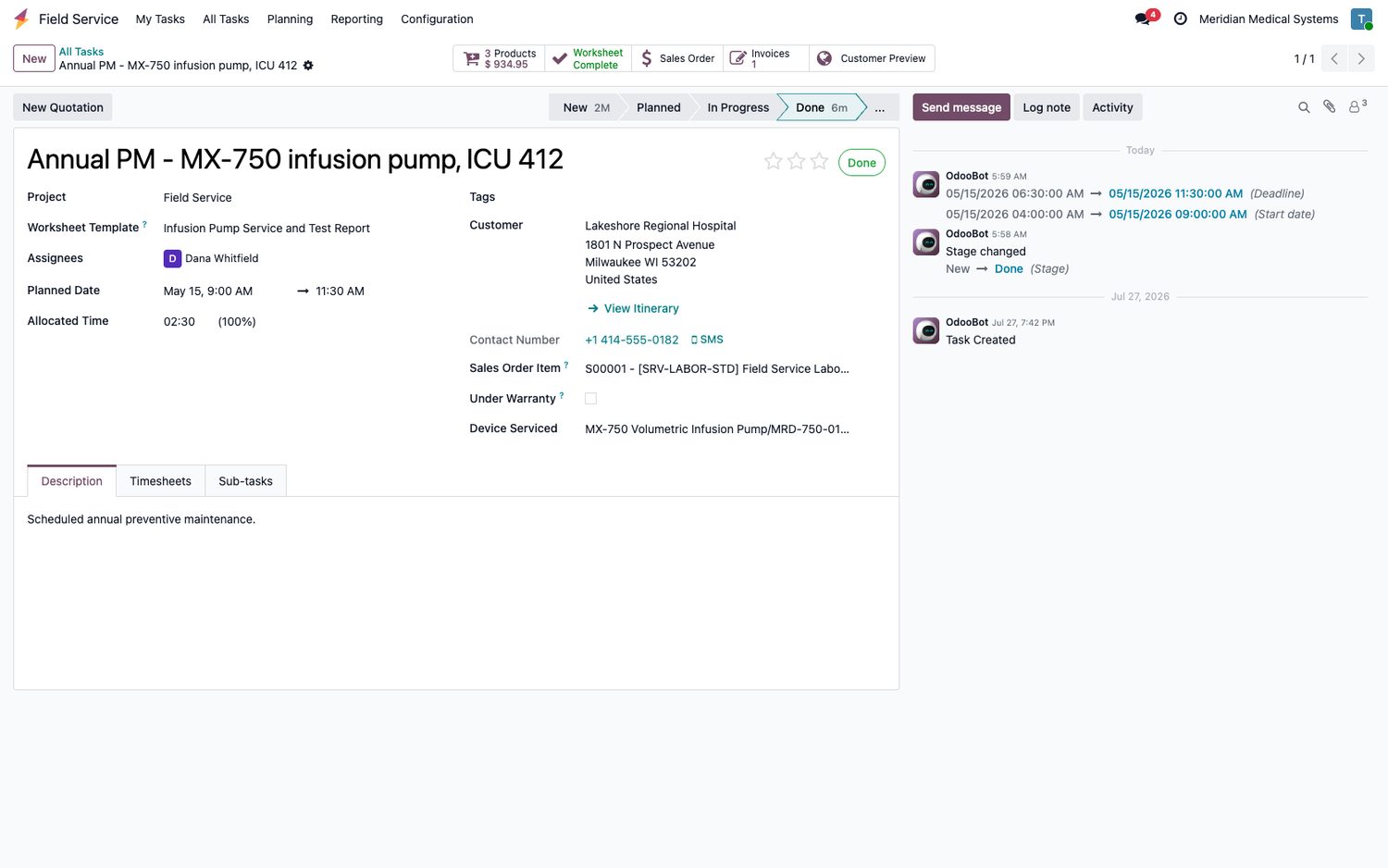
| Recording on-site test results | Service Reports produce a document with signature. Structured multi-reading inspection forms are usually built with Mobile Flows and custom objects. | Worksheet templates designed in Studio. Each becomes its own model with real, reportable fields, plus signature and a PDF certificate. | Odoo |
| Time tracking | Time Sheets and Time Sheet Entries against work orders. | Timesheets with a start/stop timer on the task; hours flow straight to the invoice line. | Close |
| Equipment and preventive maintenance | |||
| Installed base / assets | First-class Asset object with hierarchy, asset warranties and full service history. | Maintenance Equipment used as the installed base. Works well, but customer ownership and site detail need a small amount of configuration. | Salesforce |
| Preventive maintenance | Maintenance Plans and Maintenance Work Rules generate the work orders automatically on a schedule or usage trigger. | Recurring tasks plus a next-PM-due date on each device. Simpler, and needs a little more discipline. | Salesforce |
| Recalls and field safety updates | Product Service Campaigns target an affected population of assets and track completion. | Handled as a batch of tasks against the affected serial numbers. No dedicated campaign object. | Salesforce |
| Parts, money and the back office | |||
| Van stock and parts | Locations, Product Items, product requests and transfers, products consumed and returns. | The same, on a full warehouse system - with purchasing, reordering rules, lot and serial traceability and stock valuation included. | Odoo |
| Quoting and invoicing | No native invoicing. Quotes need CPQ or Revenue Cloud; invoices come from an ERP or a third-party app. | Quotation, sales order, invoice and payment raised directly from the task. Labor bills from the timesheet, parts from what was used. | Odoo |
| Accounting | Not part of the platform. Requires an accounting system and an integration. | Full double-entry accounting in the same database, posting from the same invoice. | Odoo |
| Link to manufacturing | None. Salesforce does not manufacture; production data arrives by integration. | Manufacturing shares the database. A serial number built on a production order is the same record the technician services years later. | Odoo |
| Customer, insight and change | |||
| Customer portal and notifications | Experience Cloud portal, appointment reminders and self-service scheduling. Portal is a separate license. | Customer portal included. The signed report can be previewed and emailed from the task; SMS available. | Odoo |
| Reporting and dashboards | Mature reports and dashboards. Deeper analytics via CRM Analytics, licensed separately. | Pivot and graph views on any model, including the worksheet data, with dashboards included. | Close |
| Customization approach | Declarative Flow and Lightning App Builder, Apex for code. Strong governance, sandboxes and release tooling. | Studio for no-code fields, views and worksheets; Python modules when needed. The source is open and you can host it yourself. | Close |
| Licensing model | Per user per month, layered: Service Cloud plus Field Service, with separate dispatcher, technician and contractor SKUs, and add-ons for optimization, analytics and portal. | One per-user price with every app included. A self-hosted Community edition exists at no license cost. | Odoo |
Product capabilities change between releases and several Salesforce features listed here are separately licensed. Confirm current functionality and list pricing with each vendor before making a decision on this comparison alone.
Recording the testing, not just closing the job
For a medical device manufacturer the visit is not the deliverable. The test record is. Odoo worksheet templates are built in Studio, one per product line, and every field becomes a real database column you can report on later.
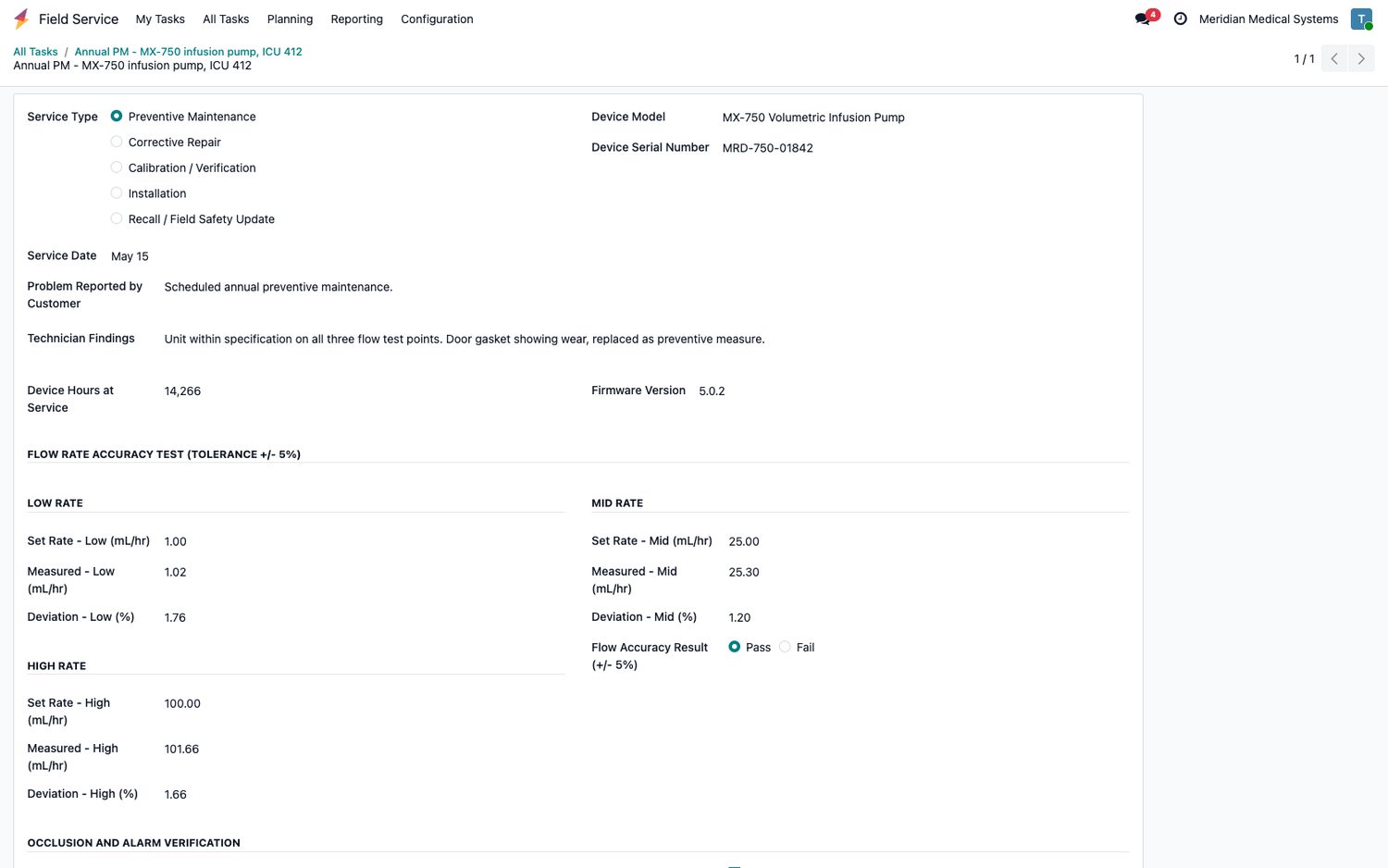
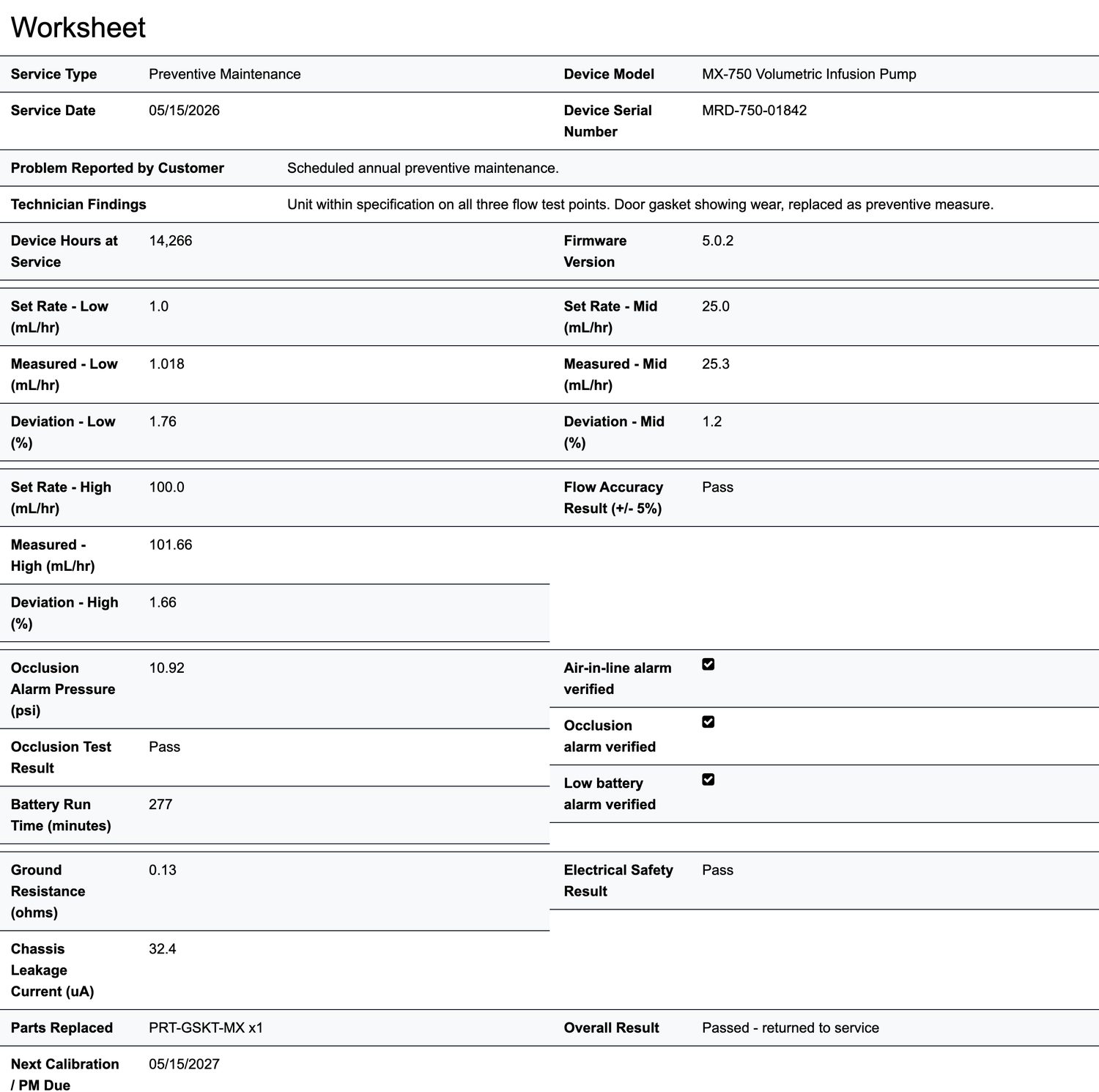
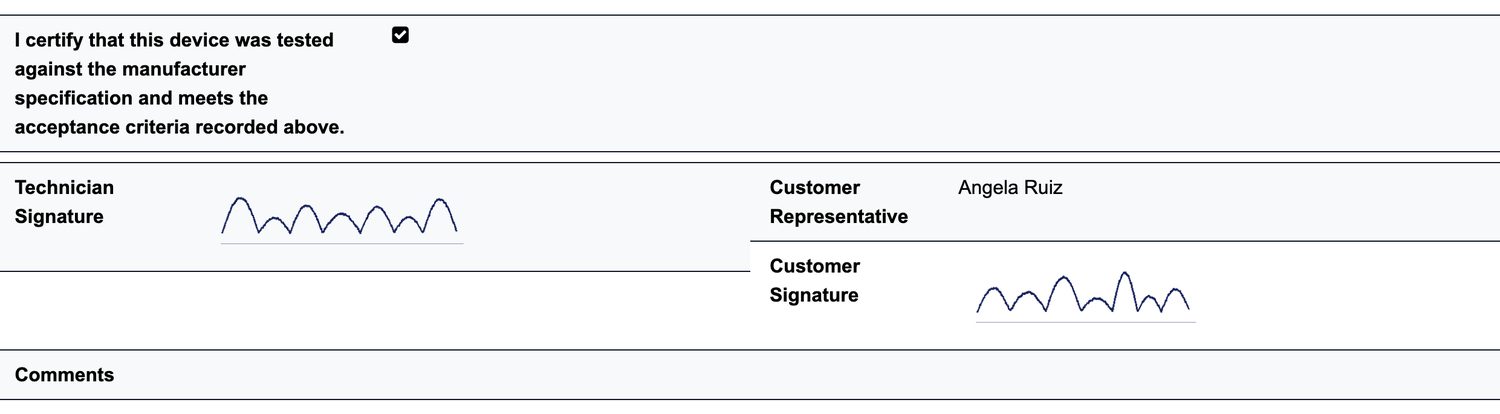
- Three worksheet templates in this build (infusion pumps, patient monitors and autoclaves), each with its own test protocol
- A failed test marks the device out of service and opens the follow-up work automatically
- No code was written to create any of them
The rest of the build
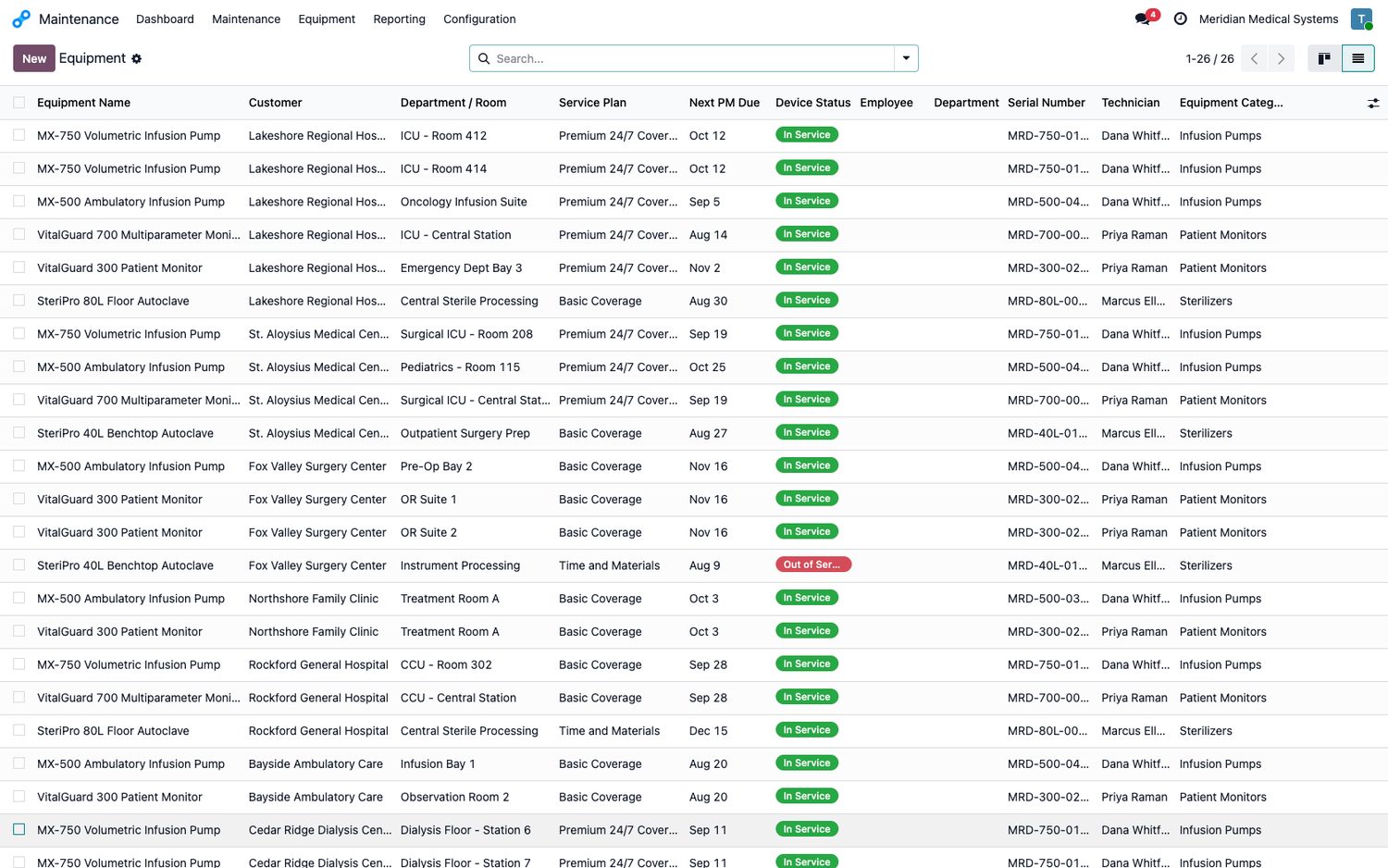
These are screens from a live Odoo 19 Enterprise database built for a fictional medical device manufacturer servicing infusion pumps, patient monitors and sterilizers across Wisconsin and Illinois.
Where Salesforce is the better product
A comparison that finds no fault with the option being recommended is not worth reading. These are real gaps, and if any of them is central to how you work, Salesforce is the right answer.
- Automated schedule optimizationOdoo has no equivalent. If you are sequencing dozens of technicians a day against travel time, skills and SLA windows, that engine is the product.
- Offline mobileThe Salesforce field app is built to work with no signal and sync later. Odoo assumes a connection - a real problem in basements, plant rooms and rural sites.
- Skills, crews and territoriesFormal matching of the right qualified person to the right job is native in Salesforce and absent in Odoo.
- Asset depthAsset hierarchies, warranty tracking and recall campaigns are first-class objects rather than something you configure.
- Entitlements and SLAContract-driven service levels with milestone tracking are far more developed.
- EcosystemA much larger partner and AppExchange market for edge cases.
The trade to weigh. Salesforce is stronger at getting the right technician to the right place at the right time. Odoo is stronger at everything that happens once they are there and everything that has to happen afterwards: the part, the invoice, the ledger and the traceability back to the production order.
Most manufacturers servicing their own equipment have a scheduling problem measured in dozens of visits a week, not thousands. They usually have a bigger problem with service data living apart from the ERP.
Related pages
- Odoo for trades and field service - what Odoo covers for service businesses in Wisconsin
- Odoo consulting services - implementation, migration, and integration work
- Odoo implementation pricing - hour packs, rates, and what drives cost
- Client success stories - real projects, including manufacturing and distribution
- Salesforce and Odoo partnerships - we implement both, which is why this comparison is honest
Want to see this running against your own equipment list?
We will load a sample of your devices and service history into a working Odoo build and walk your team through it. No slides.
Book a walkthrough